Streamlined Search
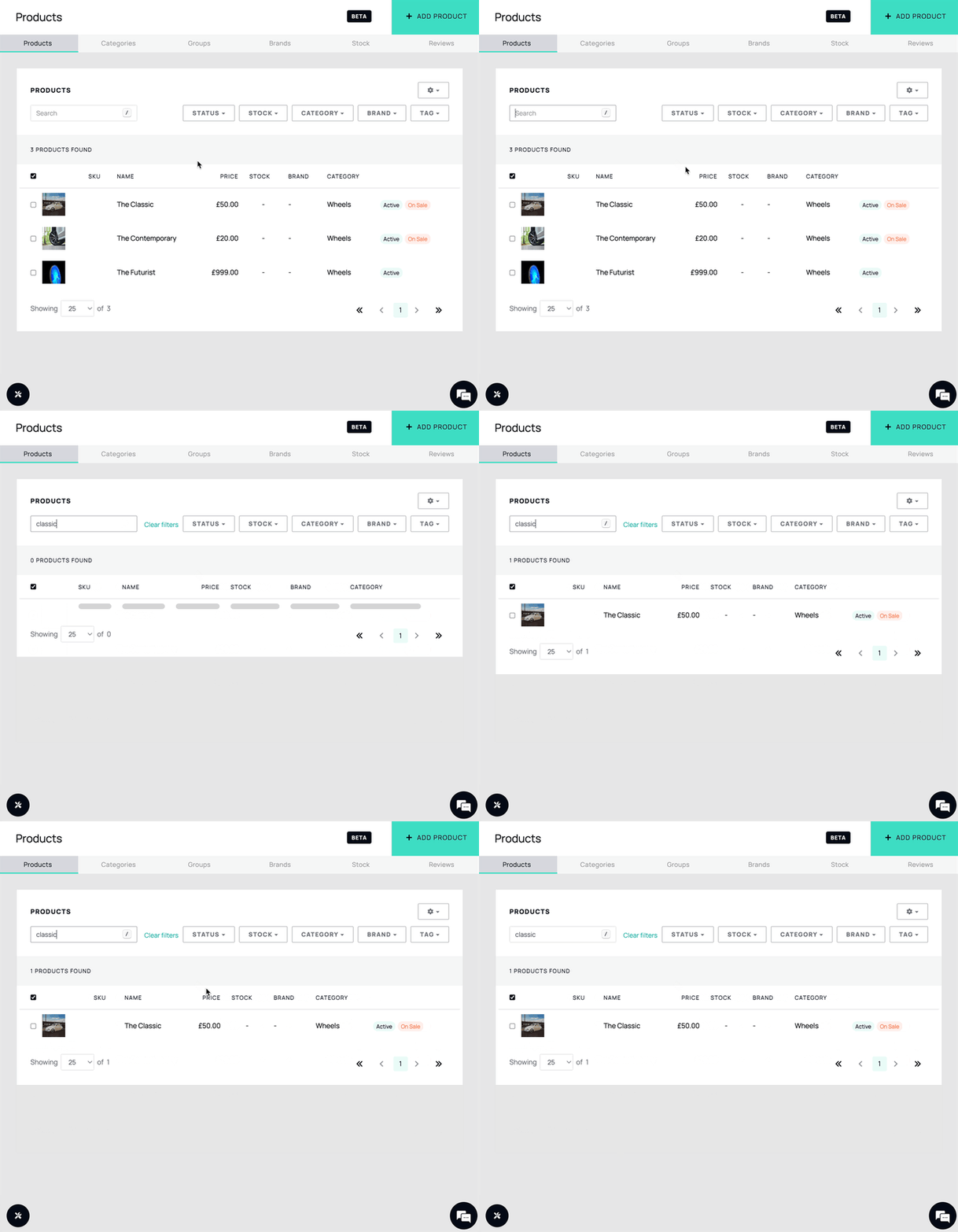
We've simplified our search functionality, consolidating multiple search bars into a single box for improved efficiency, making it simpler for users to search for products on the platform.
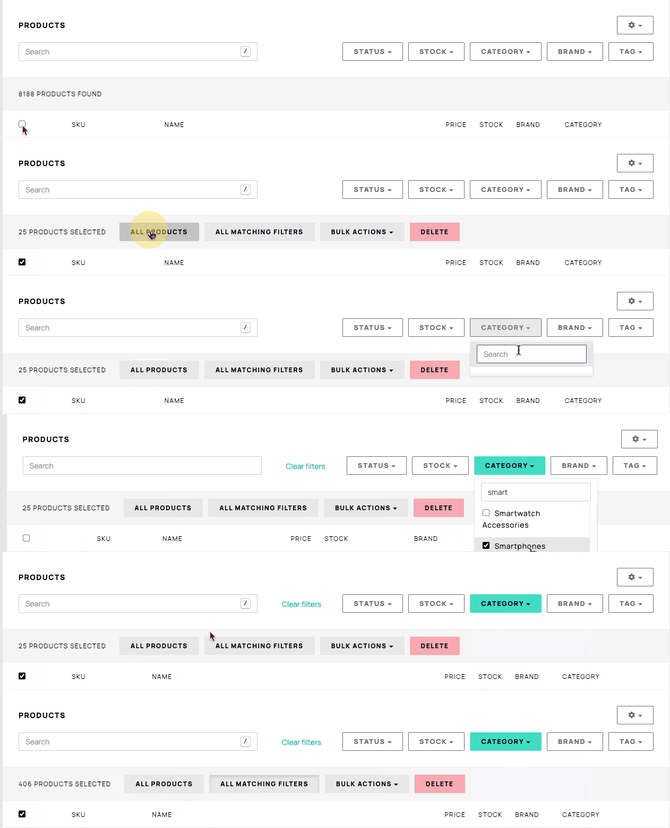
Advanced Search Filtering
Discover products effortlessly with new filtering options for brands, categories, stock, active status, and tags.
Enhanced Bulk Actions
Bulk actions have been redesigned for easier use. You can now perform actions across multiple products simultaneously from the product index page.
Displaying Tags
You can now choose whether to show or hide tags on the product index page, making it easier to customise your view. To toggle tag visibility, open the Config dropdown menu and select Show Tags or Hide Tags.
By simply accessing the config dropdown menu and selecting "Show tags" or "Hide Tags", users can now enhance their browsing experience.


Effortless Bulk Selection
Easily manage large quantities of products (up to 10,000) with an improved bulk selection option.
Product Meta Data Page
The Product Metadata page gives you a quick overview of key product details, including stock levels, pricing, and other associated attributes.


Lightning-Fast Export
Export your data quickly and efficiently based on selected filters, up to 10,000 products.
Expanded Product Retrieval Options
You can now display 200 or 500 products per page, in addition to previously available page-size options, giving you more control over how many products appear at once.

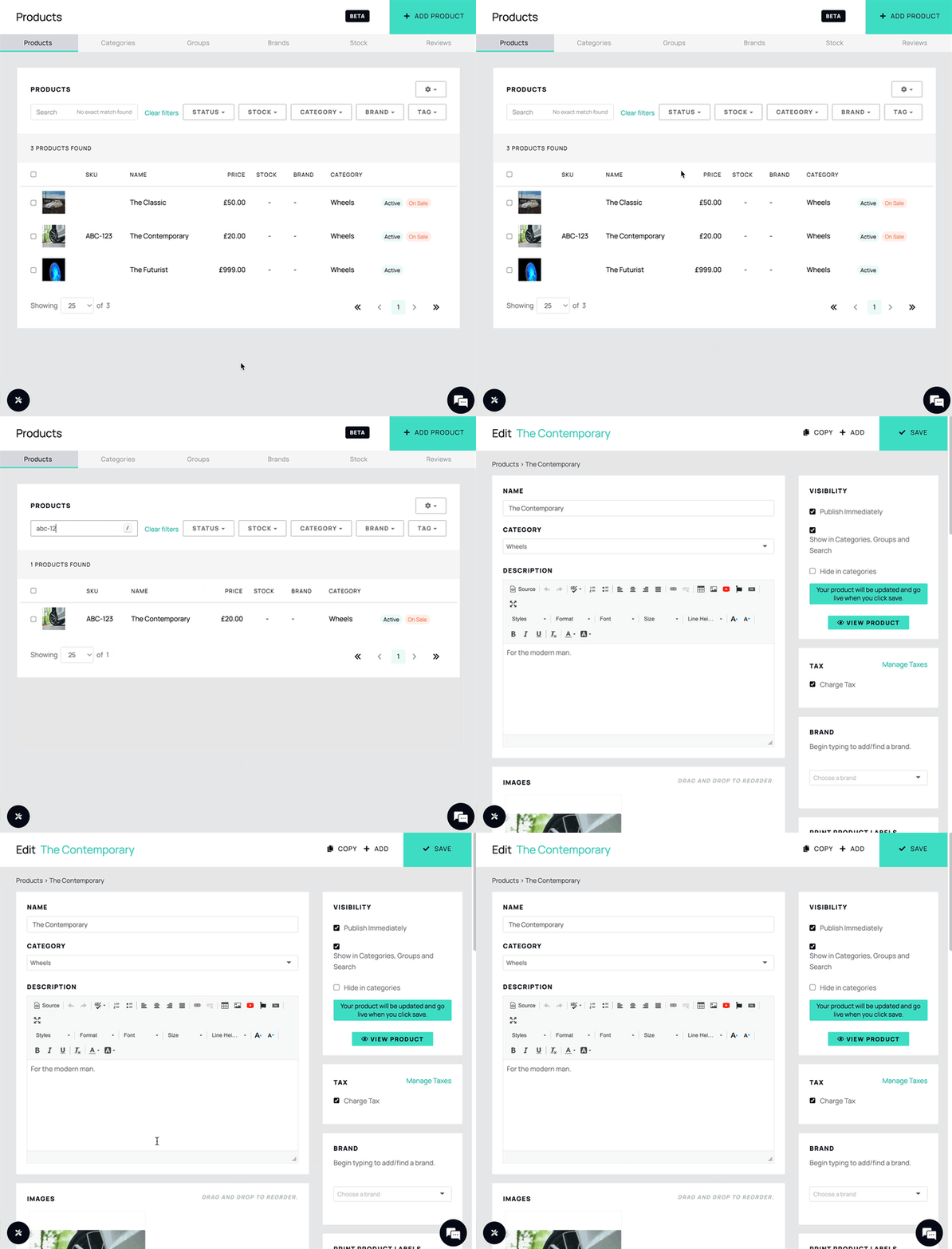
Instant Match Redirection
Redirect to specific products instantly by providing unique identifiers such as SKU, barcode, or MPN.
Efficient Keyboard Shortcuts
We’ve improved navigation with some keyboard shortcuts. You can now use “/” to instantly highlight the search bar, and arrows keys to navigate through results.