
How do you mark an order as dispatched?
To mark an order as dispatched, go to Orders, open the relevant order, select Actions > Dispatch Order, enter the courier and tracking number, confirm stock, and click Save & mark as dispatched. You can also choose to notify the customer by email at this point.
Go to Orders.

Locate and open the order. Find the order you want to dispatch. You can search by order number, customer name, or other relevant details. Click the order to open it.

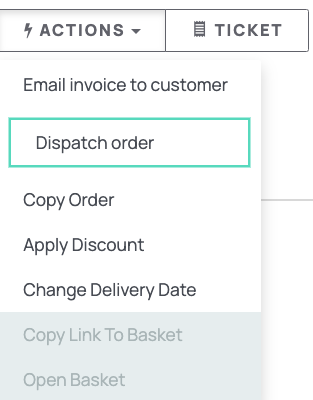
Select Actions and click Dispatch Order.
Enter dispatch details. Enter the Courier, Tracking Number, and confirm stock by reviewing the listed items and verifying the quantities are correct before proceeding.
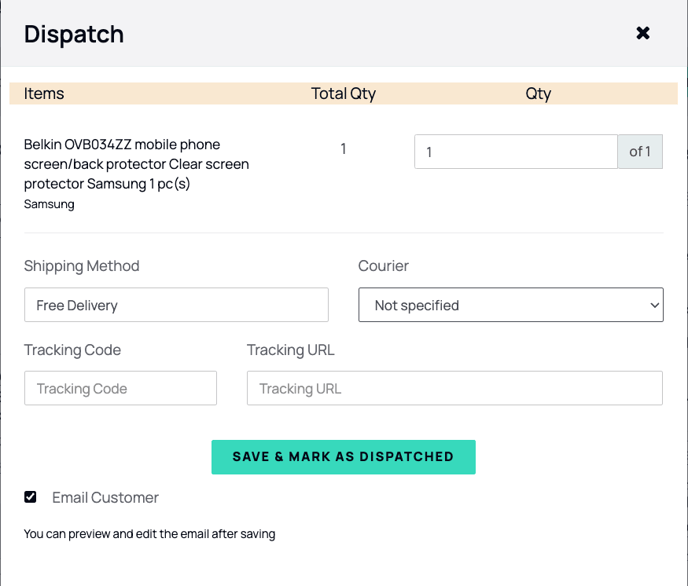
By default, the customer will receive an email confirming the dispatch and including the tracking information. To suppress this notification, untick the checkbox before saving.
Save your changes by clicking Save & mark as dispatched.