
How do I set up my domain?
To use your own domain with Symphony, you need to add the following two records to your DNS settings:
- A Record: This points your domain to Symphony' IP address.
- CNAME Record: This allows visitors to use the "www" variant of your domain by pointing "www" to your domain name.
| TYPE | NAME | VALUE |
|---|---|---|
| A | @ | 188.166.137.235 |
| CNAME | www | symphonycommerce.io |
We do not currently support the use of AAAA records. Please ensure you only have A and CNAME records as noted above. If you are unsure, please contact support.
Once actioned, follow the below steps:
- Head to Settings.

- Click on Site Settings.

- Scroll down to the Domains section.
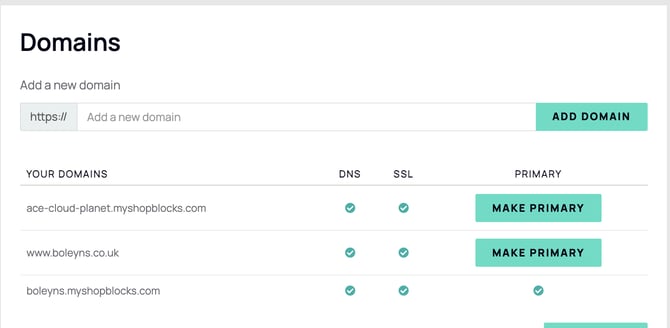
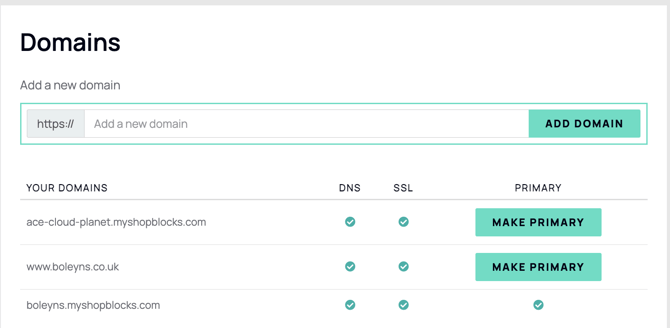
- Add your domain and click Add Domain.
What is a Primary Domain?
A primary domain is the main domain name associated with your website. It is the address visitors type into their browser to reach your site. In Symphony, your primary domain acts as the default destination for all traffic — any additional domains you add will redirect to it automatically.
Key Points:
- Main Identifier: The primary domain is your main online identifier, representing your brand or business.
- Default Address: It is the default address where your website's main content is hosted.
- SEO Benefits: Using a primary domain helps in establishing search engine optimisation (SEO) benefits, as it consolidates your website's presence and authority.
- Consistency: Ensures consistency in how users access your website, providing a single, recognisable URL.
For example, if your business is called "Example Business," your primary domain might be examplebusiness.com. Visitors can reach your website by entering examplebusiness.com in their browser. Additionally, you can configure other variations, such as www.examplebusiness.com, to point to the same primary domain, ensuring all traffic is directed to your main website.
Can I add multiple domains?
Yes, you if you have more than one domain, add them all and they will all redirect customers to your 'Primary Domain'.
Why is my domain not working?
Newly added domains can take up to 24 hours to propagate, plus up to an additional hour to complete setup on Symphony's end. If your domain is still not working after 25 hours, verify that your DNS records exactly match the values in the table above, then contact support if the issue persists.
Can I use a different subdomain in my website?
Instead of www. you may want to use shop. or another subdomain. Simply change your CNAME to the subdomain of your choice.
Do I need to purchase SSL?
No, all websites on Symphony receive an SSL certificate for free for all domains setup with us.