
Setting Default Customer Behaviour
Before we assign the payment method to be visible to a specific customer, we want to first make the payment method not display by default for a typical customer.
Go to Payment Methods and select the payment method you wish to make visible to certain customers.
In this example, Klarna will only be visible to a few specific customers.
On the Klarna set up summary page, you will see a setting for Default Customer Behaviour. Make sure this is set to Disabled. By default this is set to Enabled, meaning any customer can use it unless explicitly opted out:
Once Default Customer Behaviour is set to Disabled, click Save.
Assigning the payment method to a customer
Go to the Customers area.

Search for the customer you wish to make the payment method visible for.
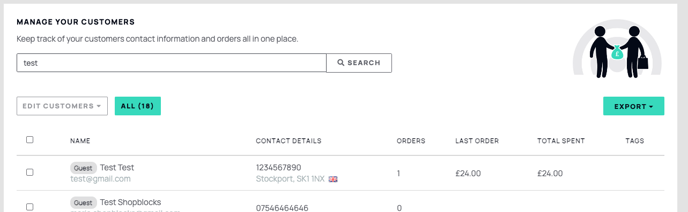
Open the customer record. In the Payment Methods area, select the Enable Payment Method Filtering checkbox.

The box will expand to show you available payment methods for this customer.
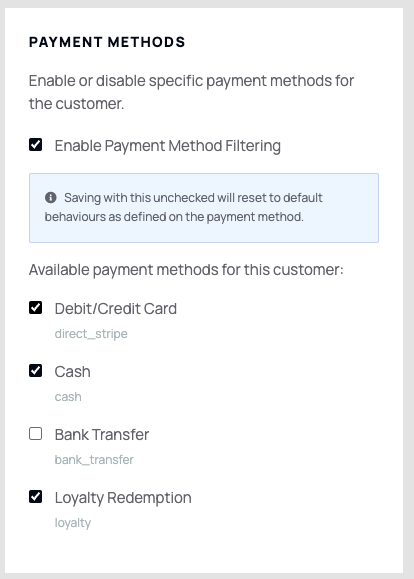
The payment methods selected will now be visible for this specific customer. To remove access, uncheck the Enable Payment Method Filtering checkbox or deselect the relevant payment method. Repeat these steps for each additional customer as needed.